When exploring virtualization technologies, you might come across terms like LXC containers and virtual machines (VMs) both of which you can run using our personal homelab platform called Proxmox. If you are interested in running your own homelab, be sure to check out our Build your Homelab series. We already have a couple of LXC containers up and running, so why aren't we running everything inside VMs? Well, for one, the setup of an LXC container is much easier than an entire VM, but it does have some caveats to consider. Let's look at these and when to use which.
What Is Proxmox?

If you are not following our Build your Homelab series, let's first define the basics: Proxmox Virtual Environment (VE) is an open-source platform that allows you to run and manage virtualized operating systems on a single physical server. It combines two key technologies:
- KVM (Kernel-based Virtual Machine): Used to create full virtual machines.
- LXC (Linux Containers): Used to create lightweight, isolated environments.
How It Works:
Proxmox is built on top of the Debian Linux operating system. It leverages the Linux kernel’s features such as namespaces (which isolate processes) and control groups (cgroups) (which manage resources like CPU and memory). This architecture allows Proxmox to efficiently manage and isolate both VMs and containers on one server.
For a more detailed look, check out our full article on Proxmox.
What Are LXC Containers?
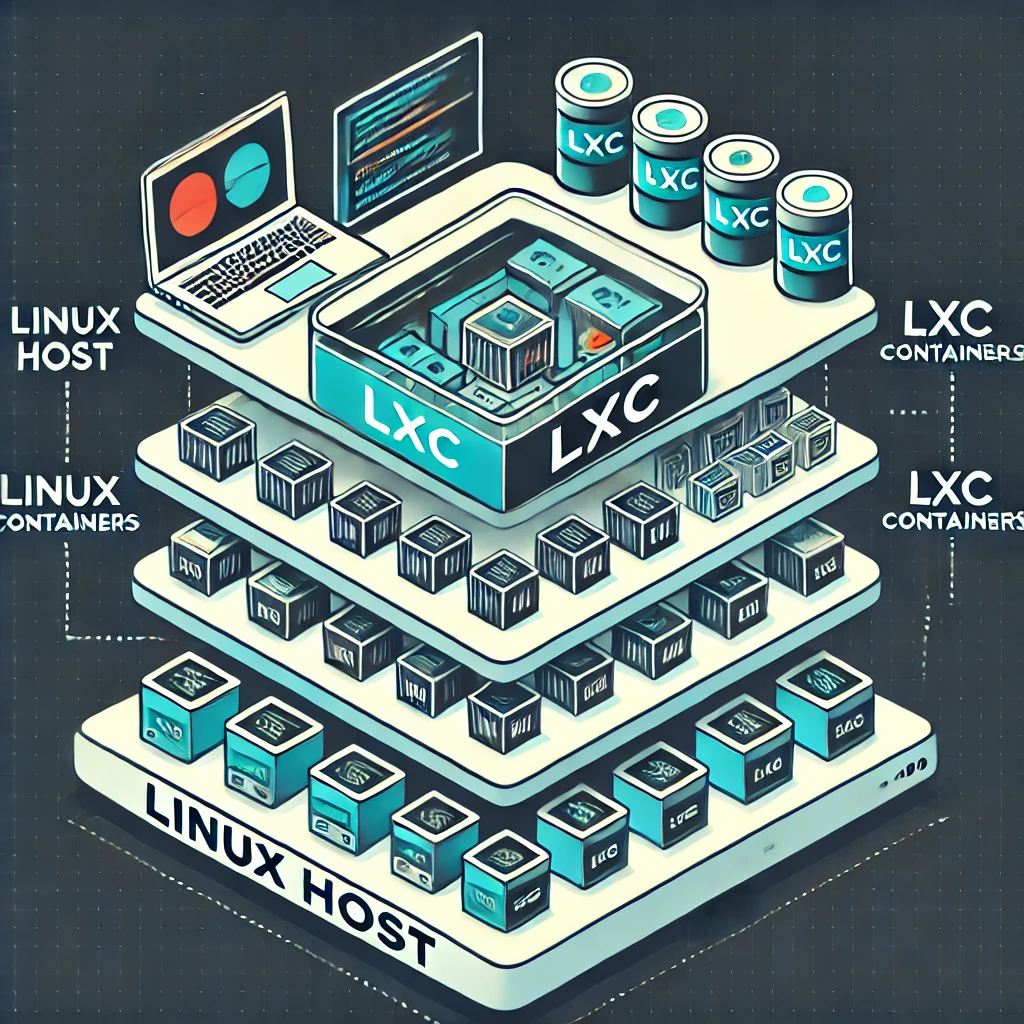
LXC stands for Linux Containers. Think of an LXC container as a lightweight, isolated environment that runs on the same operating system kernel as the host. Here’s what makes them special:
- Lightweight: Containers share the host kernel while still running their own Linux user-space distribution, services and package set. They do not boot a separate guest kernel.
- Fast: Containers often start quickly because there is no separate guest kernel to boot. The application, storage and startup dependencies still affect how long a service takes to become ready.
- Resource-Efficient: They use fewer system resources, making them ideal for running multiple services on one machine.
What Are Virtual Machines (VMs)?
A Virtual Machine (VM) presents a virtual computer with its own guest kernel. Proxmox uses QEMU/KVM, which combines hardware-assisted virtualization with emulated or paravirtualized devices; it is not simply software-emulating every CPU operation. Each VM includes its own operating system, which runs on virtualized hardware provided by a hypervisor (like KVM). Here’s what distinguishes VMs:
- A Separate Kernel Boundary: VMs run their own operating systems and kernels. This generally offers a stronger boundary than sharing the host kernel, but isolation also depends on the hypervisor, configuration and exposed devices.
- Versatility: You can run different operating systems (e.g., Linux, Windows) on the same physical hardware.
- Robust Security: A separate kernel can be useful for workloads requiring a stronger boundary. It does not eliminate vulnerabilities, shared-storage permissions or the need to patch the guest and host.
Comparing LXC Containers and Virtual Machines
Below is a simplified table that outlines the main differences:
| Feature | LXC Containers | Virtual Machines (VMs) |
|---|---|---|
| Architecture | Shares the host’s OS kernel | Virtual hardware with an independent guest kernel |
| Performance | Lightweight, near-native speed | Hardware-assisted CPU virtualization; device and workload choices affect overhead |
| Resource Usage | Lower, as they share system resources | Higher, as each VM runs its own OS |
| Isolation Level | Process-level isolation | Separate guest kernel; security still depends on configuration |
| Flexibility | Best for Linux-based applications | Can run various OSes (Linux, Windows, etc.) |
| Boot Time | Very fast boot times | Slower boot times compared to containers |
| Security | Good, but less isolated compared to VMs | Stronger kernel boundary, without a universal security guarantee |
When to Use Each Technology
Uses for LXC Containers
- Running Multiple Linux Services: Ideal for hosting websites, microservices, or databases that all use Linux.
- Lightweight Applications: Great for applications that need to start quickly or scale up rapidly.
- Resource-Constrained Environments: Perfect when you need to run many services without using up too many system resources.
- Development and Testing: Useful for isolating apps during development, without the overhead of a full VM.
Uses for Virtual Machines (VMs)
- Running Different Operating Systems: If you need to run Windows or another OS alongside Linux, VMs are the way to go.
- Legacy or Isolated Applications: Best when applications require a stronger isolation boundary or have strict security requirements.
- Complex Software Stacks: Suitable for software that benefits from a dedicated operating system environment.
- Production Environments with High Security: When you need robust isolation for sensitive or critical workloads.
Example Setups
Best Setups for VMs
- Mixed-OS Environments: Running Windows-based applications alongside Linux services.
- High-Security Applications: Financial systems, sensitive databases, or legacy software that needs a separate guest kernel.
- Resource-Intensive Software: Applications that require a dedicated, stable environment with predictable performance.
Best Setups for LXC Containers
- Microservices Architecture: Deploying multiple small services that work together, such as web servers, API endpoints, and databases.
- Rapid Scaling: Cloud-native applications where containers can be spun up or down quickly.
- Development Environments: Testing different components of a large system without the overhead of multiple operating systems.
Match the Workload to Its Actual Requirements
| Workload | Useful starting point | Check before deciding |
|---|---|---|
| A trusted Linux service | Unprivileged LXC can be efficient | Supported user-space distribution, host-kernel compatibility and data backups |
| Windows or a non-Linux appliance | KVM VM | Guest support, licensing, drivers and resources |
| Home Assistant OS | Its documented KVM/Proxmox VM image | Correct boot configuration and any required USB/device access |
| A nested application-container stack | A VM when isolation and live migration matter | Guest storage, Docker requirements and maintenance policy |
| Media transcoding | LXC device sharing or suitable VM device assignment | Actual GPU, permissions, supported drivers and the effect on migration |
These are planning choices, not universal benchmarks. A DNS service does not have one fixed RAM requirement or restart time across all configurations. Likewise, USB or GPU access is not automatically configured simply because a workload runs in a VM. Device assignment can constrain recovery on another host.
Current Proxmox documentation describes system containers and OCI-image application containers, with the latter marked as a technology preview. It still recommends nesting application containers in a QEMU VM when maximum isolation and live migration are required. That is more precise than claiming Docker always fails on a particular storage filesystem or that every Compose stack must use the same design.
Shared Kernels, Privileges and Migration
An unprivileged LXC maps root inside the container to an unprivileged user on the host. This differs from a privileged container, where the security boundary is weaker. Proxmox uses mechanisms such as namespaces, cgroups, AppArmor and seccomp. Passing host paths, devices or extra capabilities into a container changes what it can access; switching off confinement is not a routine cure for an application error.
Installing a newer host kernel normally places it on disk for the next host boot. It does not immediately change the running kernel beneath every LXC. After the host starts with that kernel, its containers share the new version. A VM keeps its guest kernel independent, but a host reboot still interrupts that VM unless it has been moved elsewhere beforehand.
Proxmox cannot live-migrate a running LXC in the same way as a suitable KVM guest; a restart migration stops and starts its processes. KVM live migration also has conditions, including compatible CPUs, storage, networks and device configuration. It involves a final switchover, so do not promise that every application will observe zero pause or that every ping will survive.
VPN services illustrate why device requirements matter. Tailscale's current LXC guidance describes providing the TUN device through supported Proxmox configuration, and also discusses userspace networking as an alternative. Check the actual application and version instead of copying two low-level device lines into every container. Host kernel-module requirements, TUN access and userspace networking are different issues.
Back Up More Than the Guest Root
Proxmox-managed storage volumes and arbitrary host bind mounts have different backup behavior. The container documentation explicitly states that bind-mount and device-mount contents are not included in vzdump backups. A restored root filesystem can therefore boot successfully while the application's important data is missing.
Inventory the database, upload directory and external storage for each service. Check the backup setting on additional managed mount points, and arrange separate backups for data outside that scope. Unprivileged user-ID mapping can also affect permissions after restore; record the intended mapping and test access in the restored guest.
For either technology, a snapshot is not a separate backup of the physical storage. Test recovery on an isolated instance, including application login and representative files. Set CPU, memory and storage limits from observed demand, leaving resources for the host. A service running well in our series is useful experience, but it does not establish a fixed resource allocation for every reader's workload.
Conclusion
In summary, Proxmox is a versatile platform that harnesses the power of both LXC containers and virtual machines to meet different needs. LXC containers offer a lightweight, fast, and resource-efficient way to run Linux-based applications, making them perfect for microservices and rapid development. On the other hand, virtual machines provide a separate kernel boundary and flexibility, allowing you to run different operating systems and handle more complex or security-sensitive tasks. By understanding these differences, you can choose the right technology for your specific setup—whether it’s a high-security production environment or a fast, scalable development platform.
With this guide, you now have a clearer picture of how Proxmox works under the hood and when to opt for LXC containers versus VMs. Happy virtualizing!