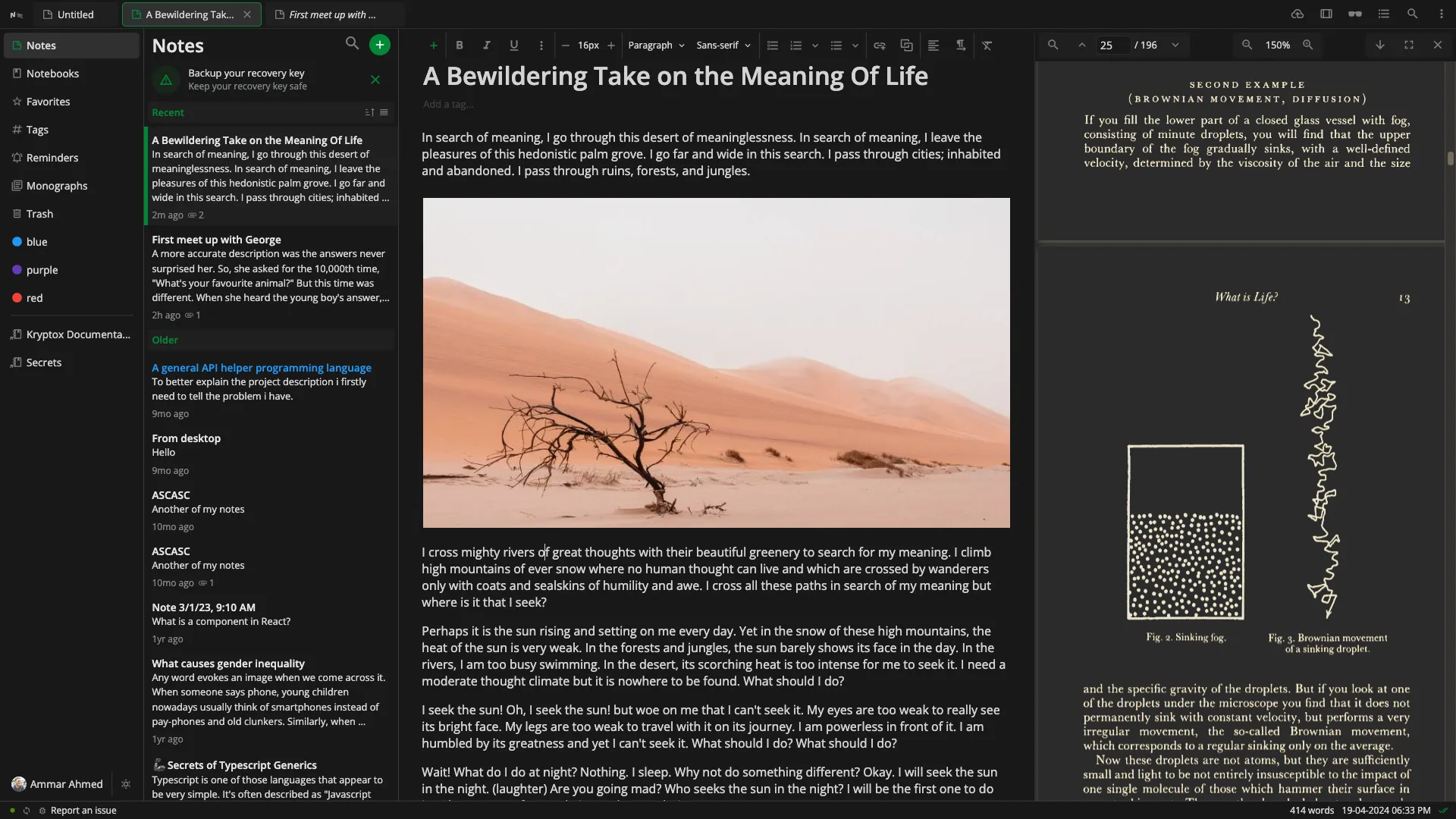
As our homelab gets bigger and bigger with the Build your own homelab series, we have looked at note taking apps before, notably Blinko and Joplin. We trust the allure of self-hosting is undeniable for all you self-hosting enthusiasts out there. It’s about owning your data, customizing your services, and above all, saving money while learning new skills. Today we look at another secure, private and versatile note taking app. Notesnook (https://notesnook.com/) deserves your serious consideration as it's built with a self-hosting and privacy-first mentality, making it a perfect fit for those who value control and security.
What is Notesnook and How Does It Work?
Notesnook is an open-source, end-to-end encrypted note-taking application designed to be a private alternative to popular services like Evernote or Notion. Its core philosophy revolves around "zero knowledge," meaning that your notes are encrypted on your device before they ever touch a server. Only you hold the keys to decrypt them.
Here’s a glimpse into its key features:
- End-to-End Encryption: Note content and attachments are encrypted on your device. The documented design uses XChaCha20-Poly1305 for data and Argon2-family functions for password/key processing. This does not conceal every account, network or operational metadata field.
- Cross-Platform Sync: Notesnook offers clients for web, desktop (Windows, macOS, Linux), and mobile (Android and iOS), ensuring your notes are accessible wherever you are.
- Rich Note-Taking Experience: It supports a wide array of formatting options, including markdown, tables, task lists, code blocks, image embedding, and file attachments.
- Offline Access: You can access and edit your notes even when you're not connected to the internet. Changes will sync once you're back online.
- Open Source: Transparency is key. Notesnook's client applications and its sync server are open source, allowing anyone to inspect the code and verify its security claims.
- Password-Protected Sharing: Publish a note as a Monograph, optionally encrypted with a separate password. Anyone with an unprotected public link can read it.
Under the hood, when you use Notesnook's official service, your encrypted data is stored on their servers. However, the real magic for homelabbers lies in its ability to let you host your own sync server.
Notesnook in Your Homelab
Integrating Notesnook into your homelab means taking full ownership of your note-syncing infrastructure. Instead of your encrypted notes syncing to Notesnook's cloud, they sync to a server running within your own network.
This offers several compelling advantages:
- Complete Data Sovereignty: Your notes, your server. You control the physical (or virtual) location of your data, ensuring maximum privacy and control.
- Enhanced Privacy: While Notesnook's E2EE is robust, self-hosting adds another layer of privacy by keeping your encrypted data entirely within your trusted environment.
- No Subscription Fees (for core syncing): Hosting the backend gives you control over the synchronization service. Check current client plans and server behavior separately: self-hosting is not a blanket promise that every paid editor or sharing feature becomes free.
- Longevity and Resilience: You reduce dependence on the hosted service, but continued access still requires compatible clients, maintained services and backups you can restore.
- Customization and Learning: Setting up and managing your Notesnook server provides another valuable learning experience within your homelab.
Built for Self-Hosters First: Why This Matters
Notesnook's commitment to self-hosting isn't an afterthought; it's a fundamental aspect of their design and philosophy. They have actively developed and open-sourced the necessary server-side components, primarily distributed via Docker, making deployment relatively straightforward for those familiar with containerization.
This "self-hosters first" approach is amazing because:
- It Aligns with User Empowerment: It acknowledges the growing desire for users to control their own data and digital tools.
- It Fosters Trust: By providing the means to self-host and scrutinize the codebase, Notesnook builds a higher level of trust with its users, especially those who are privacy-conscious.
- It Ensures True Data Ownership: Unlike services where "export" might be the only concession to data ownership, Notesnook allows you to own the entire pipeline.
Seamless Mobile Integration with Your Self-Hosted Instance
A significant advantage of Notesnook is its continued seamless experience even when self-hosting. Their dedicated smartphone apps for Android and iOS can be configured to connect directly to your self-hosted Notesnook sync server. This is a crucial feature that many self-hosted applications struggle with or offer as a less-supported option. With Notesnook, the ability to point the mobile clients to your personal server URL is a clearly supported feature, allowing synchronization through your configured infrastructure when clients can reach it. Offline edits still need a successful later sync.
Considerations for Self-Hosting Notesnook
While self-hosting Notesnook is empowering, there are a few technical considerations, especially if you want to access your notes from outside your homelab network:
- Docker and Docker Compose: The official Notesnook sync server is typically deployed using Docker. You'll need Docker and Docker Compose installed on your server.
- Environment Variables: Configuration of the server (like database connections, secrets, and S3-compatible storage for attachments if you choose to use it) is managed through environment variables.
- Dependencies: A self-hosted Notesnook setup usually involves a few components working together, such as the Notesnook API server itself, an identity server, a MongoDB database for metadata, and an S3-compatible object storage solution (like Minio) for attachments. The provided
docker-compose.ymlusually handles the orchestration of these services. - Reverse Proxy (for External Access): If you want to access your Notesnook instance from the internet (e.g., on your mobile device when you're not on your home Wi-Fi), you can use a reverse proxy such as Nginx Proxy Manager, Traefik or Caddy for HTTPS routing. A private VPN is another access option. A proxy is not automatically an authentication layer or a complete security policy.
- HTTPS/SSL Certificates: When exposing any service to the internet, securing it with HTTPS is non-negotiable. Your reverse proxy can typically handle SSL certificate management, often integrating with Let's Encrypt for free certificates.
- Dynamic DNS: If your home internet connection has a dynamic IP address, DDNS can keep your chosen public hostname aligned with a changing address. It does not solve carrier-grade NAT or an ISP's inbound connection restrictions.
- Firewall Configuration: You'll need to configure your firewall to allow incoming traffic on the port your reverse proxy is listening on (typically port 443 for HTTPS).
- Maintenance and Updates: Like any self-hosted service, you are responsible for keeping the Notesnook server software, its dependencies, and your underlying server operating system updated to patch security vulnerabilities and benefit from new features.
The Notesnook team provides documentation and a docker-compose.yml file within their notesnook-sync-server GitHub repository, which serves as the primary guide for setting up your instance.
Conclusion: Your Notes, Your Rules
Notesnook stands out in the crowded field of note-taking apps by genuinely embracing the self-hosting community. It offers a rare combination of robust end-to-end encryption, a feature-rich user experience across all major platforms, and, most importantly for homelabbers, a path toward control of the synchronization infrastructure. The self-hosted server is still labelled alpha, so treat reliability and upgrade compatibility as work you must verify.
By self-hosting Notesnook, you're not just archiving thoughts; you're building a resilient, private, and personally managed digital brain. The ability to connect its polished mobile apps directly to your own server is the cherry on top, making it a truly compelling solution for anyone serious about privacy and control in their digital life. If you're ready to take full ownership of your notes, diving into a self-hosted Notesnook instance is a rewarding endeavor.
Encryption, Account Recovery and Local Security
The current encryption guide distinguishes Argon2i for deriving the master key from your password from Argon2id for the hash sent for server authentication. A generated data-encryption key protects note data with XChaCha20-Poly1305; the master key protects that data key. Changing your password re-protects the existing key rather than creating a readable server copy of all your notes.
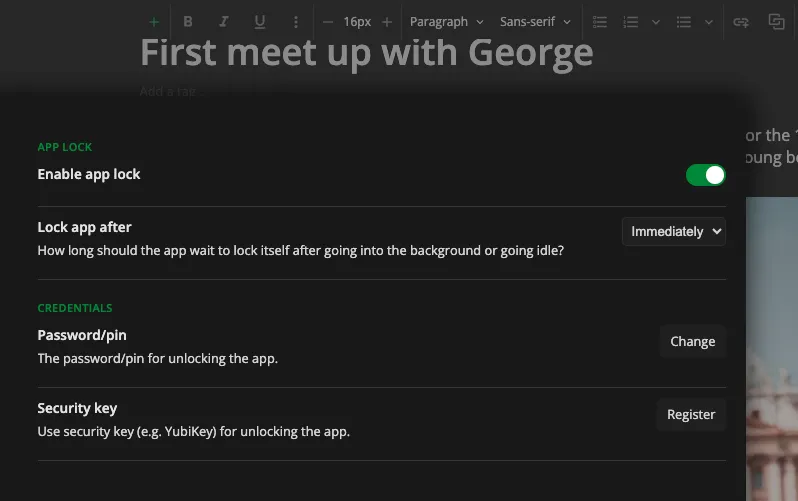
Encryption protects synchronized content against a server that lacks the keys. It does not protect a note you deliberately export as plaintext, an unlocked compromised device or every detail visible in connection logs. Use device encryption and app lock where appropriate, protect your recovery key separately and avoid sharing screenshots containing private notes.
If you lose both your password and recovery key, possession of the server database does not let the operator recover your readable notes. Account access and data decryption are separate concerns. Keep an encrypted application backup and test restoring it before relying on the service for irreplaceable work.
Self-Hosted Services and Client Configuration
The notesnook-sync-server repository remains labelled alpha and warns that self-hosting is without support. Its current help documentation exists, while parts of the repository README still describe documentation as pending. Check the actual release, complete Compose file and client guide together rather than treating an old quick-start as a production guarantee.
The stack includes sync/API, identity and event services, MongoDB and attachment storage; published Monographs also need their service endpoint. The exact service count and storage choices depend on the selected recipe and optional profiles. Match the Compose and environment files to the same release, configure secrets and persistent data, and verify image architecture plus MongoDB CPU requirements on your host. An ARM CPU does not implement x86 AVX instructions, so do not read a generic hardware list as proof that every Raspberry Pi image is supported.
Client configuration requires all four server URLs: sync, authentication, events and Monographs. Save a backup before logging out; these settings are disabled while signed in. Test the endpoints, save the settings, create an account on your own backend and restore your notes. A hosted account does not automatically exist on your server, and merely changing one sync URL does not migrate it.
Use URLs reachable from each actual client. A phone's localhost is the phone itself, not your server. Verify HTTPS and certificate trust, attachment uploads and downloads, event delivery, and reconnection after an offline edit. Configure SMTP if you use email-based two-factor authentication or password-reset messages; the publisher warns that missing email delivery can lock you out of the chosen authentication workflow.
Sharing, Backups and Choosing Your Workflow
A published Monograph is separate from your private note. Set a password before publishing sensitive information and share it through a separate appropriate channel. An unprotected link can be forwarded or indexed after public posting. Later edits require updating the published copy; unpublish when access should end. Do not assume a sharing URL alone supplies the same confidentiality as your private encrypted notebook.
Keep both application-level note backups and a recoverable server backup covering database, attachment objects, configuration and secrets. Synchronization can propagate accidental deletion; it is not a historical backup. Restore a sample note and attachment into a controlled account and check that the decryption credentials work. Store plaintext exports with the same care as the readable notes themselves.
When comparing Notesnook with Standard Notes, Joplin or Obsidian, start with the workflow you need: rich editing, local files, browser clipping, synchronization control and a practical recovery process. Their encryption boundaries, hosting arrangements and paid features differ and can change. Try your own small collection on two devices, check offline editing and exports, and measure the maintenance effort before moving everything.