
QuickDrop can provide a temporary place to upload a file and give someone a download link. Hosting it yourself lets you administer the storage and access rules, but it does not make every upload private automatically. This guide covers RoastSlav's QuickDrop, the project linked by the original article, and explains a private starting setup, access checks and retention.
What QuickDrop Actually Does
The upstream project describes browser-based uploads, share links, expiry/download controls and an administration interface. It is not a Dropbox-style synchronisation client or a service with separate personal accounts for every recipient. Do not assume that a similarly named project or a PairDrop container has the same design.
For example, you can upload a harmless archive, create a time-limited share token and check the recipient's download. Keep the original elsewhere. Temporary sharing is different from maintaining the only copy of an important document or synchronising a directory between computers.
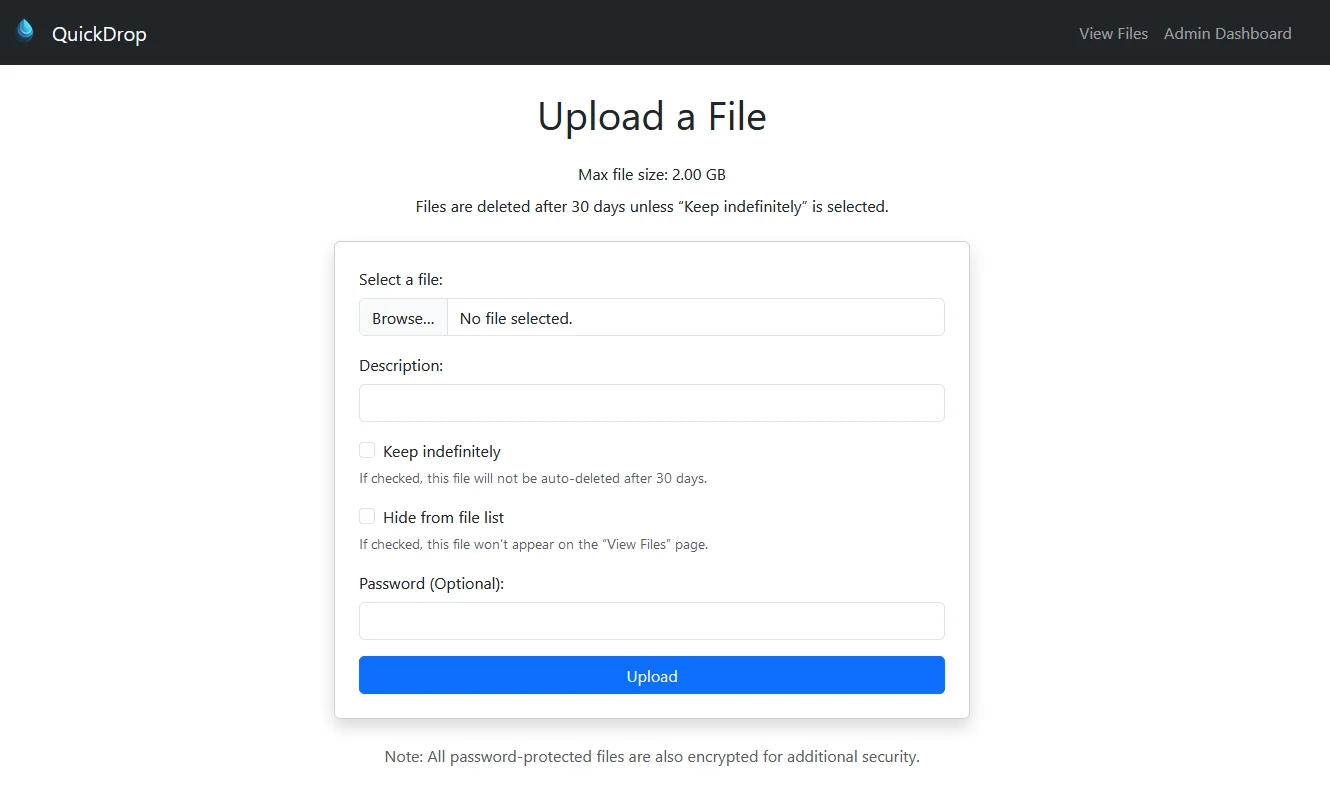
The screenshot is retained from the original article. Current releases can add or rename settings, so match the installed release's documentation rather than assuming every control has the same position.
Start with the Actual QuickDrop Container
Install Docker Engine and the Compose plugin on a supported host. Check the original release link for version context. The project Compose file supplies the image and persistence paths used here.
Create a dedicated directory and save this fresh-install example as compose.yaml:
services:
  quickdrop:
    image: roastslav/quickdrop:latest
    restart: unless-stopped
    ports:
      - "127.0.0.1:8080:8080"
    volumes:
      - ./data/db:/app/db
      - ./data/files:/app/files
      - ./data/log:/app/log
The loopback binding keeps the initial service on the Docker host. The database and uploaded files have separate persistent mounts; the logs mount is useful for administration. latest moves with releases, so record the selected version or digest and use a supported version tag when repeatability matters.
docker compose config --quiet
docker compose up -d
docker compose ps
docker compose logs --tail=100 quickdrop
Open http://localhost:8080 on that host. If the server has no local browser, use an intentional private access method, such as an SSH tunnel, and keep this initial instance private until its settings and access controls have been checked. Localhost in a browser on another machine refers to that other machine.
Configure Access Before Sharing Real Files
The settings source and security configuration distinguish an application password from the administrator gate. A fresh default does not require an application password. Set unique admin and application credentials through the installed interface where supported, then test them in a fresh browser session.
Choose whether the public file list is visible, who should be able to upload and which sharing routes should work for recipients. Hiding an Admin button or a file from a list is not the same as restricting access. A download link can be forwarded to someone else, so treat it as sensitive access information.
Share-download routes can have their own access rules rather than using the whole-app login. Test the actual link with the intended file-password and expiry settings. Do not infer recipient protection just because the uploader sees a login screen.
Keep limits appropriate for the server: maximum file size, permitted lifetime and available disk capacity. Check what the installed release supports rather than assuming unlimited uploads. Uploads, previews and retained logs all use resources. A server that is full may fail new transfers or ordinary application operations.
Encryption and Remote Access Boundaries
QuickDrop offers optional stored-file encryption associated with its file-password controls. The settings model describes that relationship. It should not be advertised as browser-side end-to-end encryption or a guarantee that a server administrator can never access a document. Keep the relevant settings and data together for recovery.
For remote use, arrange authenticated HTTPS access and suitable network restrictions. Port forwarding or dynamic DNS alone does not provide encryption, authentication or abuse control. Keep administration private wherever practical, and verify the account and sharing routes from the recipient's path before sending sensitive material.
Transfer limits depend on the application, proxy and any service in front of it. An NGINX upload-size setting cannot guarantee that a tunnel permits a 10 GB upload or that a transfer never times out. Test a representative harmless file through the complete route and inspect each layer's documented limits.
Test Expiry, Downloads and Persistence
- Upload a small harmless file, download it through the intended link and compare the bytes or checksum with the original.
- Test a protected file from a fresh browser session. Confirm the required password and reject an incorrect one.
- Create a short-lived test share or a limited-download token and verify its behaviour, including what the recipient sees after the limit.
- Check the file list and administration route using the access level a recipient should have. Confirm that hiding a file does not unexpectedly expose it elsewhere.
- Restart the service without deleting the mounted data, then check its settings, a retained file and the share behaviour again.
Expiry can involve both access checks and scheduled cleanup. A link becoming unavailable does not prove all copies have been removed immediately from storage, backups, recipients or logs. Keep that distinction clear when deciding whether the service suits a sensitive transfer.
Maintain a Recoverable Sharing Service
Back up the database, uploaded files and required configuration consistently. For a small SQLite deployment, stop writes while copying its persistent data or use the project's supported backup mechanism for the installed release. Retain an additional copy away from the host, protect any secrets and test restoration in an isolated instance.
After an update, repeat the harmless upload/download, fresh-session protection and expiry checks. Review release notes before changing a moving image tag. Retain a pre-update recovery copy because database changes may prevent a simple image-only rollback.
For recurring sharing, document who administers the service and what happens when the host is offline. QuickDrop is useful when temporary server-hosted links fit the task. A peer-to-peer transfer app or a synchronisation service solves a different problem; the previous PairDrop deployment has been replaced here with the actual QuickDrop workflow.