Although Proxmox is an amazing hypervisor virtualization solution, perfect for building your own homelab, there is another option on the market that might be equally amazing. XCP-ng is a popular alternative that quite a few users prefer over and above Proxmox. While both platforms help you run multiple virtual machines on a single piece of hardware, they do it in slightly different ways. In this post, we’ll introduce you to each, list their differences, and help you decide which one might be better suited for your homelab setup.
What Is XCP-ng?
XCP-ng is an open-source virtualization platform based on the Xen hypervisor. Think of it as the engine that powers multiple “virtual computers” inside one physical machine. It is designed with enterprise-class performance in mind yet remains accessible to home users. With XCP-ng, you can create and manage several virtual machines, run different operating systems concurrently, and make the most of your homelab’s hardware resources—without a software licence purchase. Hardware, backup storage and any optional commercial support still have a cost.
How XCP-ng Works
- Hypervisor: XCP-ng uses the Xen hypervisor, which slices your hardware into multiple isolated computing environments.
- Management Tools: It is often managed using tools like Xen Orchestra, a web-based interface that simplifies virtual machine creation, migration, and maintenance.
- Community-Driven: The platform is community-supported, which means regular updates, plenty of online discussions, and community help when you need it.
What Is Proxmox?
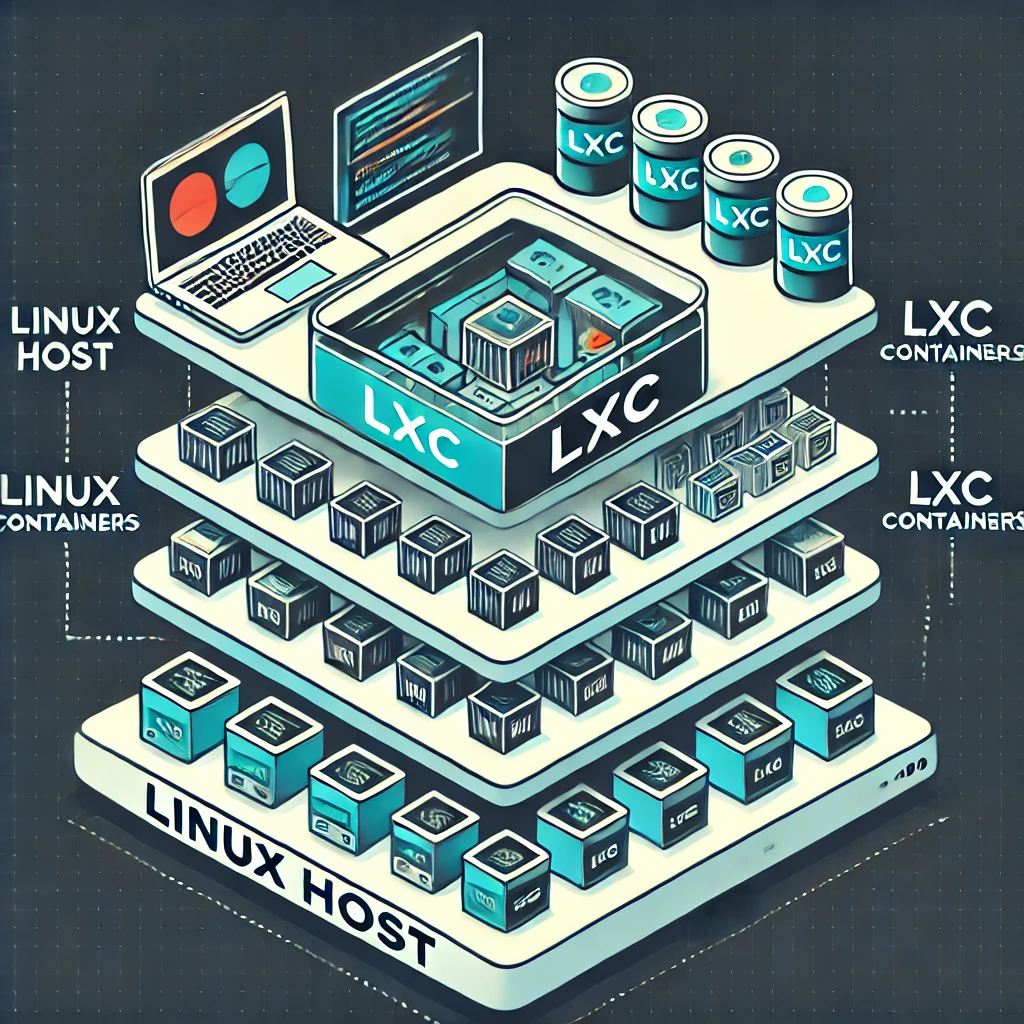
Proxmox, short for Proxmox Virtual Environment (VE), is another open-source platform that allows you to run multiple virtual machines. Proxmox combines the power of two virtualization technologies: KVM for full virtualization (running complete operating systems) and LXC for lightweight containerization (isolated execution environments). Its integrated web interface makes managing virtual environments relatively easy even for those who aren’t deeply technical.
How Proxmox Works
- Hybrid Approach: Proxmox uses both KVM (for virtual machines) and LXC (for containers) which gives you flexibility in choosing the right type of virtualization for each task.
- Web Interface: Its intuitive web-based management console helps you easily create, start, stop, and manage VMs and containers.
- All-in-One Solution: The platform comes with integrated backup, recovery, and clustering features, providing a one-stop solution for managing a homelab.
Extensive List of Differences Between XCP-ng and Proxmox
This comparison gets technical. If the terminology is unfamiliar, start with the use cases below, then return to the details. Here are some of the key ways in which XCP-ng and Proxmox differ:
Virtualization Engine and Hypervisor Technology
- XCP-ng: Based on the Xen hypervisor which is known for robust isolation and enterprise-level performance.
- Proxmox: Uses KVM for full virtualization and LXC for container-based virtualization.
Management Interfaces
- XCP-ng: Managed primarily through Xen Orchestra (and other community-supported tools). It may have a learning curve if you are unfamiliar with Xen’s way of doing things.
- Proxmox: Offers an integrated, user-friendly web interface that is accessible even to beginners.
Community and Enterprise Support
- XCP-ng: Has community support and optional commercial support through Vates; it is not exclusively a community-supported product.
- Proxmox: Also community-supported, but it offers optional enterprise support and subscription-based services for those who need extra assurance and official help.
Backup and Recovery Options
- XCP-ng: Supports backup and replication via external tools and Xen Orchestra; however, these features can be a bit more modular, meaning you have choices based on your needs.
- Proxmox: Includes built-in backup solutions and recovery options as part of its integrated platform.
Performance and Resource Management
- XCP-ng: Tends to focus on high performance and stability in environments that require robust isolation and resource allocation.
- Proxmox: Excels in environments where you need the flexibility of running both full virtual machines and lightweight containers on the same system.
Storage and Networking Capabilities
- XCP-ng: Has mature support for different types of storage, including local and networked storage, with advanced storage features derived from enterprise systems.
- Proxmox: Also supports multiple storage options and provides an integrated view of networking and storage that’s easy to manage through its UI.
Customization and Flexibility
- XCP-ng: May require more hands-on management and configuration for advanced features, which might appeal to users who enjoy deeper system control.
- Proxmox: Often favored by users looking for a “batteries-included” solution with a lot of out-of-the-box options for clustering, container management, and networking.
When Proxmox Works Better
There are several scenarios where Proxmox might be the better choice for a homelab:
- User-Friendly Interface: If you are looking for an easy-to-use, all-in-one management console that simplifies virtualization.
- Mixed Virtualization Needs: When you need both virtual machines and container support under one system.
- Built-In Solutions: For those who value built-in backup, clustering, and high availability features without needing to integrate many third-party tools.
- Quick Deployment: If you prefer a system that’s straightforward to deploy and manage from the start without needing extensive configuration knowledge.
What XCP-ng Does Better
On the other hand, XCP-ng shines in these areas:
- Performance and Robust Isolation: Ideal for users who need strong, enterprise-grade performance and security between virtual machines.
- Advanced Resource Control: Suitable for homelabs where fine-grained control over resource allocation and system performance is crucial.
- Community-Driven Innovation: For those who prefer a platform with a passionate, active user base and regular community contributions.
- Dedicated Virtualization Engine: If you’re aiming to learn about or work with the Xen hypervisor specifically, XCP-ng gives you direct access to these industry-standard features.
Choosing the Right Tool for Your Homelab
When deciding between XCP-ng and Proxmox, consider your priorities:
- If you want an integrated, beginner-friendly system with built-in features and options for running both VMs and containers, Proxmox might be the right pick for you.
- If your focus is a Xen-based VM environment, centralized orchestration and its administration workflow, XCP-ng could be a better choice.
Your decision might also depend on factors such as:
- Your level of technical comfort: Beginners might enjoy Proxmox’s straightforward interface, while more advanced users might appreciate XCP-ng’s flexibility.
- Specific use cases: The Xen-focused approach may appeal if that is the environment you want to learn. For rapid prototyping, the integrated Proxmox interface can be an advantage. Treat this as a workflow preference: neither platform name establishes a universal performance or security winner.
Conclusion
Both XCP-ng and Proxmox offer powerful virtualization capabilities for homelabs, but they cater to slightly different needs and user preferences. XCP-ng provides a robust, enterprise-like environment with advanced resource control and strong VM isolation, making it appealing to users who prefer the Xen ecosystem and its administration model. Proxmox KVM also provides VM isolation; the distinction is not a claim that one is inherently secure while the other is not. On the other hand, Proxmox shines with its all-in-one, user-friendly web interface, ease-of-use, and the flexibility of running both virtual machines and containers, making it a solid option for beginners and those who need a quick-to-deploy, integrated solution.
Ultimately, the best tool for your homelab depends on what you value most - whether it is an integrated VM/container workflow or the Xen and Xen Orchestra ecosystem. Both options are robust, cost-effective, and backed by passionate communities, ensuring that whichever you choose, you’re in good hands for learning and experimentation.
XO Lite, Xen Orchestra and XOA
Proxmox VE provides an integrated management interface on each node, allowing cluster management without a separate manager appliance. XCP-ng separates host virtualization from the broader Xen Orchestra management service. Understand which component supplies the feature you need before comparing installation effort.
- XO Lite: Bundled in XCP-ng 8.3 and accessed over HTTPS at the host address. It is a lightweight browser client for local, single-pool administration and infrastructure bootstrapping. It is not the complete multi-pool backup and orchestration system.
- XOA: The publisher's packaged Xen Orchestra appliance, with update and support options depending on the selected subscription.
- XO from source: The open-source project can be built without a licence fee. You maintain the dependencies, service and updates yourself. The publisher explicitly distinguishes this route from the professionally supported and tested appliance. Community installers are a separate convenience, rather than an official support entitlement.
Keep ordinary applications inside guests. XCP-ng's privileged control domain, called dom0, is not intended as a general-purpose Docker host or Linux workstation. The same operational principle is useful on Proxmox: adding unrelated services to a virtualization host increases the work needed to maintain and recover it.
Architecture and Operational Differences
| Layer | Proxmox VE | XCP-ng with Xen Orchestra |
|---|---|---|
| Virtualization | KVM/QEMU VMs and Linux LXC containers. | Xen VMs; run application containers inside a suitable guest VM. |
| Host environment | Debian-based system with a custom Linux kernel. | Xen hypervisor with a privileged Linux control domain and XAPI management. |
| Management | Built-in node/cluster web interface, CLI and API. | XO Lite for local basics; Xen Orchestra for broader management and backups. |
| Storage examples | Local storage, ZFS and network backends; integrated Ceph for suitable clusters. | Local EXT/LVM, NFS, iSCSI and supported XOSTOR; ZFS and XFS SR integrations are provided as-is rather than officially supported. |
| Backups | Built-in backup jobs plus integration with the separate Proxmox Backup Server. | Xen Orchestra backup/replication workflows writing to configured backup destinations. |
A storage name alone does not tell you whether that backend is appropriate for a guest disk, ISO library or backup target. Check the exact release's storage support and allocation behavior. Thin provisioned storage can save space, but still needs monitoring; filling the physical pool can affect many guests at once. Creating a new storage repository can format the selected device, so identify disks and preserve existing data before experimenting.
A Practical Evaluation Plan
Begin on spare hardware or isolated test storage, rather than replacing the server that already runs your household services. Confirm CPU virtualization support, network adapters, storage-controller compatibility and the ability to reach management independently of a guest router. Keep a record of disk layouts and network configuration before installing either platform.
Use the same representative guest workload on each system: the same guest OS, CPU allocation, memory, disk backing and network path. Test booting, a normal application task, host reboot and backup restoration. If passthrough matters, test the actual device and IOMMU grouping instead of assuming a feature checkbox guarantees compatibility. Measure your workload when performance matters; changing storage or guest drivers can dominate a comparison.
Restore a disposable VM from backup and check its application data, not just whether a backup job turns green. Place recovery material somewhere available if the hypervisor and manager VM both fail. Snapshots and replication are useful, but do not replace independently recoverable backups with appropriate retention.
Finally, compare maintenance responsibility and support. Proxmox subscriptions affect repository and support access, while its core features remain available without buying a feature edition. With Xen Orchestra, appliance packaging and professional support differ from building the sources yourself. Choose the workflow you can keep updated and recover confidently; the original appeal of Proxmox's integrated interface and XCP-ng's Xen focus remains a useful starting point.