Google has added another name to the AI menu: Gemini 4 Carbon. If keeping track of models now feels like revising for a chemistry exam, relax. There is no quiz at the end.
Carbon is Google's new reasoning model for difficult work that takes several connected steps: investigating stubborn software problems, analysing complicated material and helping with scientific research. It was announced on 28 October, with the wider rollout beginning on 10 November 2026.
For readers familiar with OpenAI, the useful starting comparison is Astra's demanding-work role, with Sol's introductory token prices. That describes positioning and price, not a finding that the models perform identically. Let's unpack it before anyone hires a research department to rewrite a birthday invitation.
Hero: official Google Gemini 4 Carbon artwork. This article explains the release and published documentation; it is not a hands-on benchmark. Prices checked on 10 November 2026.
What kind of AI is Carbon?
A model is the underlying AI system that processes your request. The Gemini app is one of the places you can use it. Think of the model as the engine and the app as the car, complete with whatever controls and accessories that particular car provides.
Carbon is a reasoning model: it can spend additional processing effort working through a problem before answering. It is also multimodal, meaning it accepts different kinds of material. Google's model card lists text, images, audio and video as inputs, with text as its output.
That last distinction matters. Understanding a photograph or writing code for a 3D scene is different from directly generating a new photograph. A finished creative project can involve Carbon alongside other tools and models.
Google also calls it agentic. In plain English, that means the model can help carry a task through several steps using tools supplied by the surrounding software. Those tools might let it inspect documents, run code or check a result. Model selection alone does not hand it the keys to every app you own. Google's model reference describes its supported capabilities.
What would you actually use it for?
Carbon is most interesting when the awkward parts of a job depend on one another. Google's developer documentation highlights difficult debugging, detailed work across documents and images, scientific reasoning and security auditing.
Here are three ways that could translate into recognisable work. These are suggested tasks, not tests we have performed:
- Untangle a document mountain. Give it several supplier proposals and your requirements. Ask for a comparison that identifies conflicting terms, missing information and the page supporting each important claim.
- Investigate a stubborn software fault. A developer could use it to explore why a problem keeps returning, propose a repair and check whether the repair fixes the underlying cause.
- Explore a research problem. A researcher might ask it to connect a paper's explanation with its figures, examine possible interpretations and identify what evidence would distinguish them.
The value is in connecting the pieces. Merely producing a longer answer is much less impressive. Anyone who has attended a meeting that should have been an email knows this.
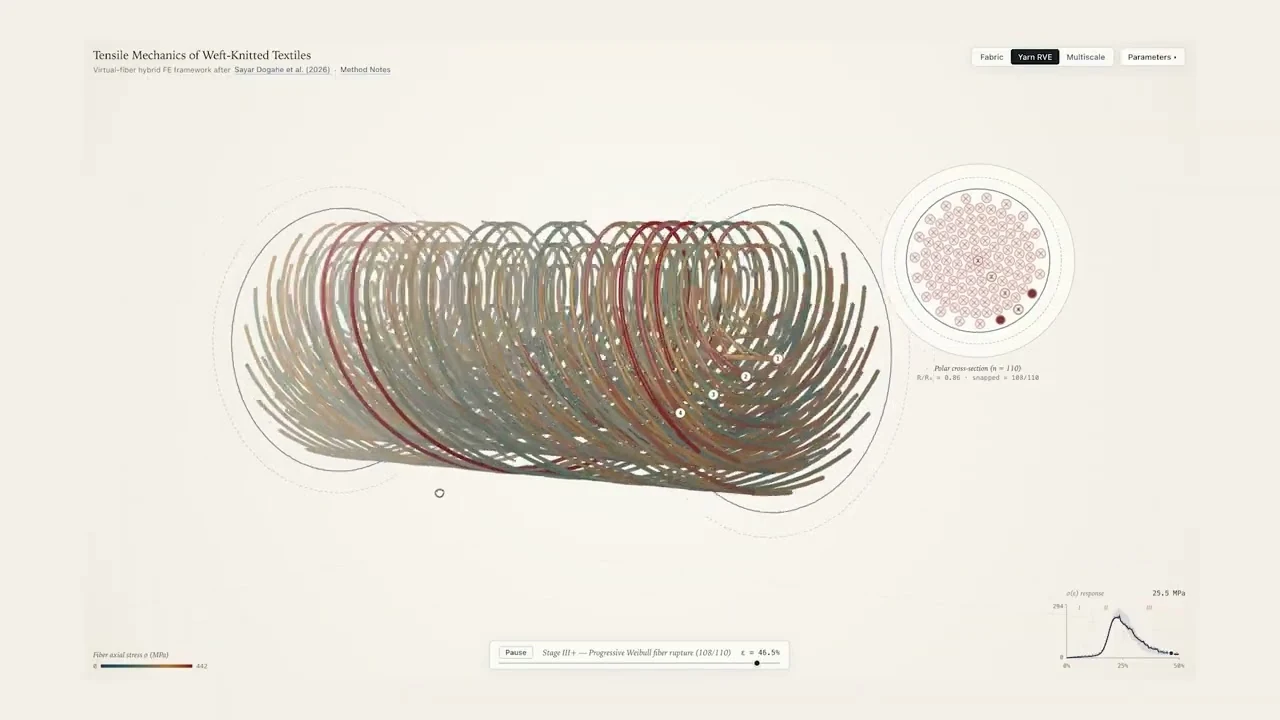
Google's launch examples include a team of Carbon agents turning historical Eiffel Tower material into an interactive exhibition, and a textile visualiser developed from an academic paper. These are Google's demonstrations, not independent proof that every similar request will succeed.

Google also previews /swarm in Google Antigravity, its development environment. This coordinates several agents on a project, with Carbon available for demanding roles such as planning and checking. Google's Antigravity announcement explains the setup. Picture a team sharing the work. Fortunately, the demo does not require organising everyone's annual leave.
Why not use Carbon for everything?
Because extra thinking has a cost.
Google says Gemini 4 Argon remains its efficient choice for most advanced software and knowledge work. Carbon spends more thinking tokens exploring possibilities and checking its work, which can increase both waiting time and usage per request. Their matching token prices do not mean matching bills. Google explains that trade-off here.
For a short rewrite or a straightforward summary, start with an option that already handles that job well. Carbon becomes more interesting when a cheaper or quicker attempt repeatedly misses an important connection, even after you have supplied the right information.
A missing attachment remains a missing attachment. A more expensive model cannot analyse the proposal still sitting in your Downloads folder.
Where Carbon fits beside Astra, Sol, Terra and Luna
OpenAI's current names do not form a simple numerical ladder. The relevant editions here are GPT-6 Astra, GPT-6.1 Sol, GPT-6.1 Terra and GPT-6 Luna. Their intended uses overlap, but their emphasis differs.
| Model | Plain-language role | An example worth trying |
|---|---|---|
| Gemini 4 Carbon | Google's option for unusually difficult reasoning and extended tasks | Work through contradictory documents and produce a checked explanation. |
| GPT-6 Astra | OpenAI's most capable option for demanding reasoning, research and professional work | Investigate an ambiguous problem with several competing explanations. |
| GPT-6.1 Sol | Complex coding and professional work at a lower price than Astra | Turn several sources into a coherent project plan. |
| GPT-6.1 Terra | Efficient writing, visual understanding and work in applications | Check a flyer against a brief, then draft the corrections. |
| GPT-6 Luna | Focused, repeatable work such as summaries and information extraction | Pull the same fields from many similar documents. |
On a phone, swipe the tables sideways to see every column.
These descriptions follow Google's Carbon guidance and OpenAI's references for Astra, Sol, Terra and Luna. The examples are editorial suggestions, not measured rankings.
Carbon is closest to Astra in intended role. Sol is the especially interesting price comparison, while Terra and Luna address work where lower usage costs can matter more than maximum reasoning depth. This does not establish a winner across brands. A model's tools, instructions and access to useful evidence also affect the result.
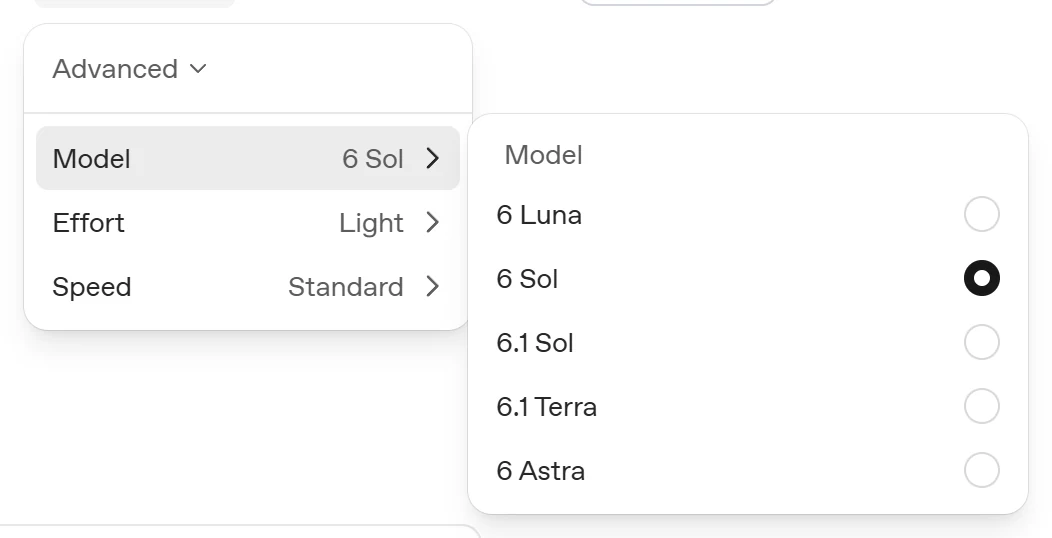
Our Astra versus Sol comparison and Terra explainer go further into those choices. For this decision, ask which model gets your actual work to an acceptable result. The fanciest name does not automatically deserve every task on the list.
What does Carbon cost?
There are two different ways to pay: a subscription to an app, or usage charges when software calls the model through an API, the connection developers use to build AI into their own products.
Using the Gemini app
Google's launch announcement says Carbon is rolling out to Google AI Ultra subscribers in the Gemini app and AI Mode in Search. Do not assume the announcement gives every free account Carbon access.
For a reference price, Google's US plans page currently lists the entry Ultra plan at US$99.99 per month. That is a subscription bundle, not a price for one Carbon conversation. Plans have usage limits, and pricing and offers vary by region. Check Google One and your account's checkout for the price available to you.
Paying for API usage
API prices are measured in tokens, small units used to represent the material a model processes. They are not a fixed number of words. Input is the material sent in; output includes what the model generates. Google's token guide explains the accounting.
The table uses US dollars per one million tokens, Standard processing and ordinary input without caching discounts. The OpenAI rates shown apply to requests with up to 272,000 input tokens. These are API prices, not ChatGPT or Gemini subscription fees.
| Model and pricing period | Input | Output |
|---|---|---|
| Carbon, through 30 November 2026 | $2.00 | $10.00 |
| Carbon, from 1 December 2026 | $4.00 | $20.00 |
| GPT-6 Astra | $10.00 | $50.00 |
| GPT-6.1 Sol | $2.00 | $10.00 |
| GPT-6.1 Terra | $1.00 | $5.00 |
| GPT-6 Luna | $0.10 | $0.50 |
Sources: Google's Carbon pricing and OpenAI's API pricing, checked 10 November 2026. Carbon has no free API tier. Thinking tokens count towards its billed output. Caching, different processing tiers and tools can change charges; OpenAI also charges more for these models when a request exceeds the input threshold above.
For a deliberately simple calculation, 100,000 input tokens plus 10,000 billed output tokens would cost $0.30 with Carbon's launch rates, or $0.60 from December. That excludes tools and assumes the output total already includes thinking. It is arithmetic, not a promise about the price of analysing your particular document.
At launch, Carbon's listed rates match Sol's. From December they double, while remaining below Astra's listed rates. The bill for a finished job still depends on how many tokens, attempts and tools each model needs. The meter keeps running even when the thinking is invisible.
A sensible first task
Choose something substantial enough to be useful but familiar enough to check. Two supplier quotes and a requirements list make a better starting exercise than “please reorganise my entire business”. The second request has a suspiciously large blast radius.
Try this suggested prompt:
Compare these two quotes against the attached requirements. Make a table of included items, exclusions, recurring costs and unanswered questions. Cite the document and page for each important claim. Flag contradictions and missing information instead of guessing. Finish with five questions I should ask the suppliers. Do not contact anyone or make purchases.
Then check the numbers and references against the originals. Did it preserve the conditions? Did it confuse a monthly charge with an annual one? If you compare models, give them the same material and judge the time spent correcting the result as well as the answer itself. Our plain-language prompting guide has more examples.
Google's model card acknowledges that Carbon can still invent incorrect information, run slowly or time out. Its built-in knowledge has a March 2026 cutoff, so current facts require fresh sources or appropriate search tools. Stronger reasoning does not remove the need to check consequential answers.
Carbon is worth considering when the job needs sustained investigation and careful checking. For routine work, keep the faster, cheaper option that meets your needs. For the difficult pile, Carbon offers another model to evaluate, with an unusually approachable launch price and a very definite date on the price tag.
No chemistry degree required. Just read the bill.