You have a flyer to check, a screen full of figures to understand, or a form that needs information copied from a document. You can describe the job, but doing it still involves reading, comparing and clicking. These are the kinds of everyday tasks behind OpenAI's new GPT-6.1 Terra.
Released on 26 October 2026, Terra focuses on visual understanding, practical computer work and clear writing. It gives people using ChatGPT Work and Codex another option alongside GPT-6.1 Sol and GPT-6 Astra. The useful question is which jobs suit it, and what you still need to check. OpenAI records the release in its changelog.
Hero artwork: OpenAI model guide. The official illustrations and interface images below are credited at their point of use.
What GPT-6.1 Terra adds
A model is the AI system that interprets your request and works out a response. ChatGPT Work and Codex are the applications around it, providing files, conversations and tools. Changing the model changes the system doing the reasoning; it does not automatically connect your accounts or give it access to every program on your computer.
In its launch announcement, OpenAI emphasises the combination of understanding visual information and acting on it. Examples include interpreting drawings, completing forms and preparing written proposals. Terra succeeds GPT-5.6 Terra, with a lower price for developers using the API, the service that lets software call the model.
For an ordinary user, the appeal is an assistant that can move between information and a useful result: read the supplied material, identify what matters and help complete a defined job. That makes the outcome easier to judge than a vague request to “make everything better”.
Making sense of pictures and screens
Visual reasoning means working out what an image shows and how its parts relate. Reading a chart, for example, involves its title, labels, units and comparisons. Recognising that one bar is taller is only useful if the model also understands whether the chart shows revenue, costs or percentages.
OpenAI lists photo matching, technical drawings and application screens among Terra's intended uses. You might supply a product photograph and a short catalogue, then ask which entry matches the visible features. Or you could show two versions of a poster and ask whether the contact details survived the redesign.
Give it enough detail to read. A tiny screenshot with blurred numbers is a weak starting point for any careful comparison. If accuracy depends on a particular value, include the original document or a clearer crop, and ask Terra to mark anything it cannot read confidently. A confident sentence cannot recover information that is absent from the image.
Understanding an image also differs from creating one. Terra accepts pictures as input and produces text; creating a new illustration can involve a separate image-generation tool. Its strength at reading a screen does not mean every application automatically becomes available to it.
How Terra turns a request into work
Imagine asking an assistant to enter five approved product descriptions into a test catalogue. The job has several parts: read the descriptions, find the right fields, enter the details, save the records and check that the information is still correct. Terra can help organise those steps, while the tools available in the application determine how it carries them out.
A screenshot by itself is a still picture. Terra can describe it or suggest the next step, but it needs access to an appropriate browser, app integration or Computer Use tool to operate the live interface. You should name the intended app and explain what counts as finished, including whether the result should be saved as a draft.
OpenAI documents separate browser environments. Where available, Work on the web or mobile can use a browser running on a separate computer in the cloud. Desktop tools can operate supported local applications. Starting a task on your phone therefore does not, by itself, grant access to all the windows on your PC.
Keep the first task small enough to inspect. Ask it to report which records changed and flag any uncertainty. Then open the saved result yourself. A message saying “done” is useful navigation, but the actual record tells you whether the job was completed correctly.
Clearer writing from material you provide
Terra is also intended for drafting and revising text. That includes everyday work such as turning meeting notes into a customer update, shortening a proposal or explaining a technical email to someone unfamiliar with the subject. OpenAI's model-selection guidance specifically suggests concise writing based on supplied material.
The most helpful instructions describe the audience and the facts that must survive the rewrite. For example: “Explain this delay to a customer in under 150 words. Keep the revised delivery date and refund option. Use a calm tone and do not promise anything beyond these notes.” That gives you a clear way to check the answer.
Read for meaning as well as style. A shorter explanation may accidentally remove a condition, soften a warning or turn an estimate into a promise. If the draft sounds wrong for your audience, give a concrete correction such as “use familiar words and keep the reason for the delay”.
Where to find Terra and what to enable
Terra is available in ChatGPT Work and Codex on Plus, Pro, Business, Enterprise and Edu plans. It is not available in the ordinary Chat experience. Work is the part of the product intended for carrying out tasks using available tools and materials. OpenAI's release update also confirms Terra support in Work on mobile.
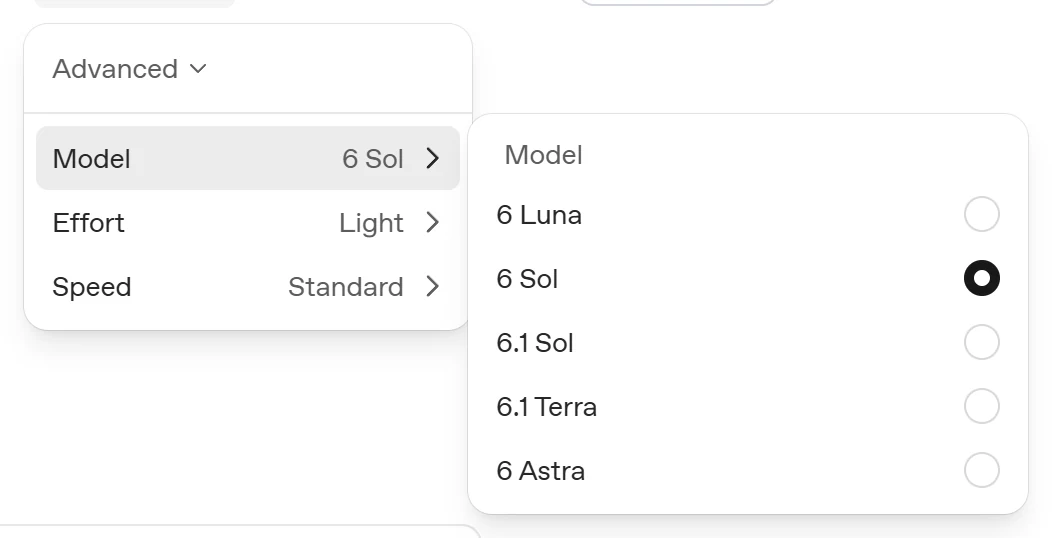
In the desktop app or Work on the web, open Advanced and choose GPT-6.1 Terra from the model list. Workspace settings and administrator controls can affect access. If it is missing, first check that you are in the supported experience and using an eligible account; selecting a model cannot bypass a workspace restriction.
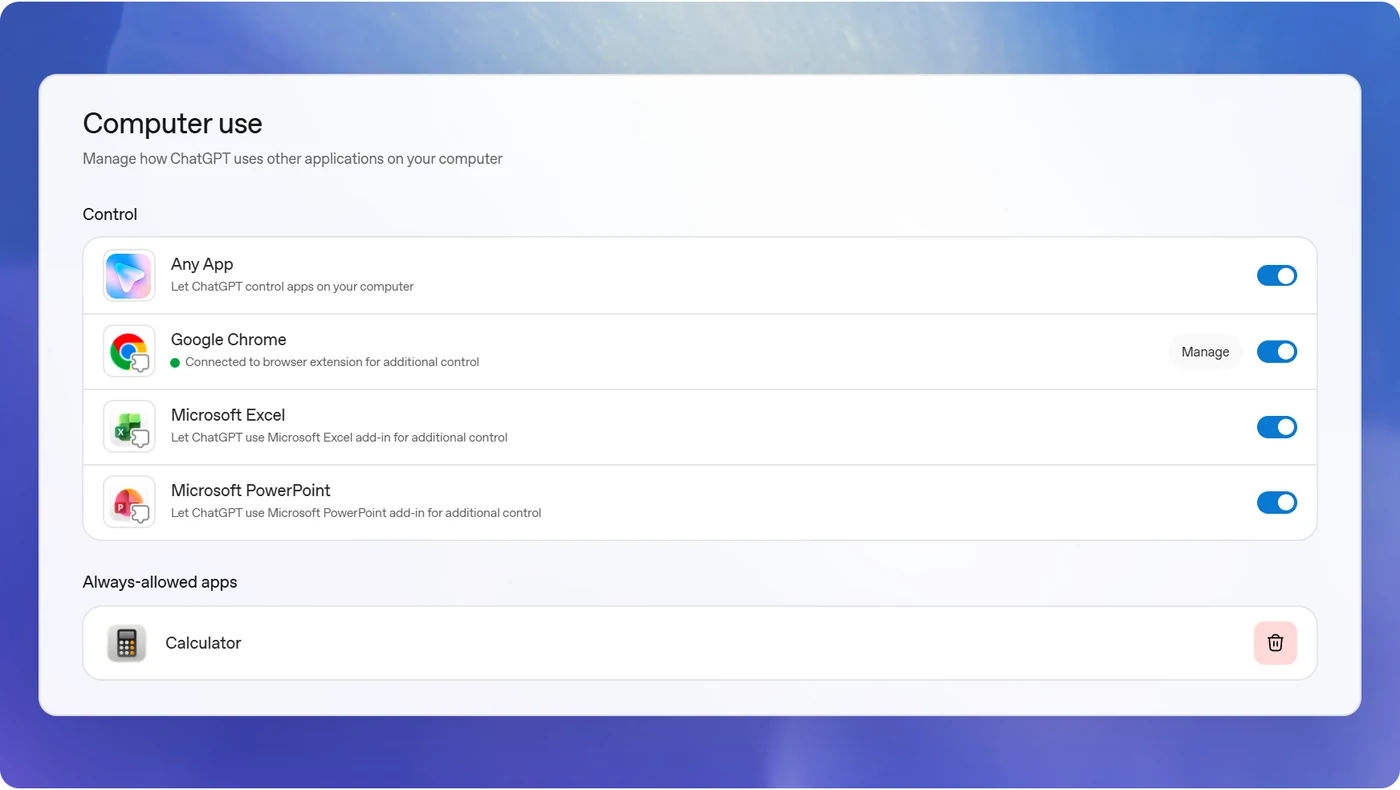
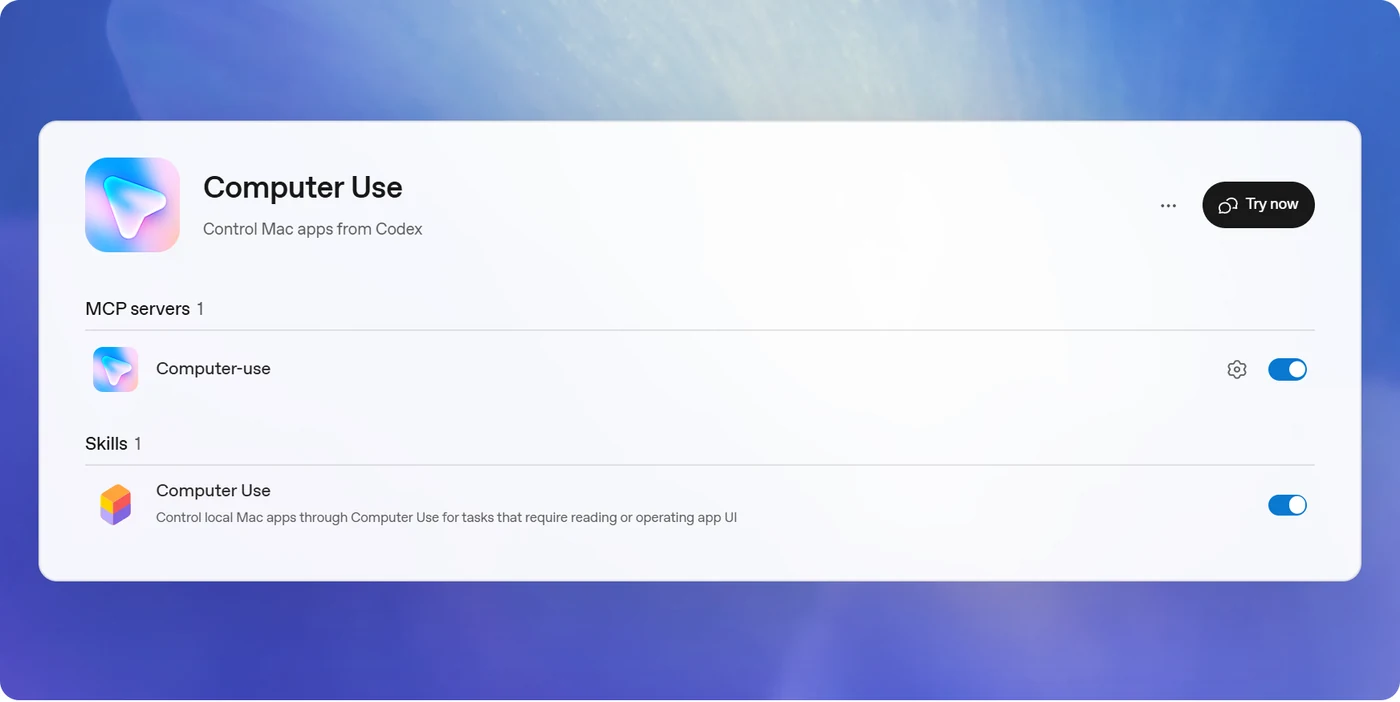
For local app control, the Computer Use instructions describe installing or enabling the Computer Use plugin, turning on its server and skill, and approving the apps it needs. On macOS, system permissions also cover seeing the screen and operating interfaces. Read the prompts in the client you actually use.
Windows users should plan for foreground control. Computer Use moves the pointer and types on the active desktop. You cannot keep using that same Windows session while it operates it. You can stop the task and take over. Keep unrelated sensitive windows closed, and review access requests before allowing an app.
Where Terra fits beside Sol and Astra
Our starting point follows OpenAI's current model guidance. These are useful task choices, with considerable overlap in what the models can do.
| Model | A useful starting point | Example |
|---|---|---|
| GPT-6.1 Terra | Visual material, clear writing and tasks with a defined outcome | Check a flyer against an event brief and list the corrections. |
| GPT-6.1 Sol | Larger projects involving several sources and connected steps | Turn meeting notes, requirements and dates into a project plan. |
| GPT-6 Astra | Difficult, ambiguous work needing sustained judgment | Compare conflicting supplier proposals and explain unresolved trade-offs. |
These three are the focus here; Luna also remains available for focused, repeatable work. The numbering is not a simple ranking in which every 6.1 model beats every 6 model. Astra remains positioned for the most demanding work.
Our earlier GPT-6 Astra versus GPT-6.1 Sol comparison explains how to judge results and decide when another attempt is worthwhile. Terra adds a useful starting option for the kinds of work covered here. If the inputs are incomplete or a tool is unavailable, fix that first. Switching models alone cannot supply a missing document or app connection.
What early testers found
Early testing gives some substance to the positioning, although each result belongs to its particular task and setup.
Simon Willison asked Terra to write code that draws a pelican on a bicycle, then published the outputs across reasoning settings on 26 October. His first-impressions post highlights the difficulty of choosing a midrange model and the appeal of lower cost for repetitive computer work. The drawings are a hands-on creative exercise, not a measure of how reliably Terra operates desktop apps. The same post quotes OpenAI employee Ted Sanders; those capability claims are Sanders' assessment.
Plotly offers a particularly understandable comparison. In its 26 October analytics test, Terra passed 40 of 43 questions for $1.31, against Sol's 43 of 43 for $2.61. Median completion time was 15 seconds per question for Terra and 18 for Sol. Terra handled straightforward analysis and planted data-quality issues, but missed two hidden patterns and one statistical investigation.
Those were API costs for that exam. Plotly used synthetic wind-energy data and its own analytics software, with one run per model. Its methodology warns that small score differences can be noise. The practical lesson is that a lower-cost model can do substantial useful work while still missing details a stronger model finds.
Artificial Analysis found competitive value at Low and Medium reasoning settings in its 26 October launch evaluation. At Max, Terra remained four points below Sol on Intelligence Index v4.3.2. The test version matters: its v5 index arrived the following day, so old and new scores should not be combined.
There is also a useful caution from accounting-software company DualEntry. Its 101-task accounting benchmark reported 78.2% accuracy for Terra, versus 81.2% for both Sol and Astra. Terra passed 65.3% of tasks in all three runs. Fast, inexpensive answers still require a check when mistakes would create extra work.
A first task you can try
Start with material you know well. A flyer and its event brief make a manageable example because you can check the date, location and price yourself. Use a copy and avoid documents containing private customer details. The following is a suggested exercise, not a claim that we have run a Terra benchmark.
Compare these two flyer drafts with the attached event brief.
Check the date, time, venue, ticket price and whether important text is cut off.
List each issue by flyer and location. If something is too small or unclear to read, say so.
Write a corrected event description of no more than 120 words using only facts in the brief.
Leave the original files unchanged.
Check the response against the brief, one item at a time. Did it identify the correct flyer? Did the rewrite preserve every required fact? Did it invent a phone number or quietly omit a condition? A useful response should make the next edit easier.
Once that works for your needs, try a limited action in a test app: enter the approved text into a draft record, save it and report where it was saved. Inspect the record before using it. Our guide to giving AI clear instructions covers how to provide context and define a useful output.
What lower usage rates mean for you
Terra's published Standard credit rates are lower than Sol's and Astra's. However, OpenAI's pricing guidance distinguishes credit billing from the usage included with a subscription. Overall Work and Codex plan limits are unchanged, and a task's size, settings and tool use affect how much it consumes.
A lower rate does not guarantee a fixed number of extra finished tasks. Three attempts, each followed by manual repairs, may be less useful than one successful attempt with another model. Watch the usage shown for your account and consider your correction time as part of the cost.
Reasoning settings control how much effort the model spends working through a problem. More effort can increase waiting and usage. For a fair comparison, give the models equivalent material and requirements, and record the setting you used. Judge whether the result improved, rather than assuming the highest setting must be the best choice.
When Terra is worth trying
Terra is a sensible option to explore when the work has clear inputs, a defined outcome and details you can verify: understanding visual material, preparing a concise explanation or completing a limited sequence in an approved app. Its early results make a useful case for that role, while leaving room for Sol and Astra on more demanding work.
Choose a small task you already understand, keep the source beside the result and note what needed correcting. That gives you an answer to the question that matters: does Terra help you finish this job with less effort?